


To write a post in the Khalid editor, you sign in with a passkey, give the post a working title, write it in the editor, and fix what the checks beside the text point out. A post that would hurt your blog cannot go live until you fix it. This guide walks through each step, with screenshots and a short video.
We recorded every step on a test copy of this blog running on our own computer, with a test account. So the addresses you see say localhost, and nothing here touched the live blog.
How do I write a post, step by step? #
Write a post in Khalid in five steps, all inside the Khalid editor. Sign in with a passkey, start a post with a working title, write the text, fix what the checks flag, then press Publish. The checks sit beside the text, so you see each problem appear and disappear as you type.
Khalid's editor on video #
The video below runs about half a minute. It shows the passkey sign-in, a new post blocked by a check, the fix, and publishing.
Read what the video shows, step by step
The video opens on the sign-in screen of the Khalid editor and adds a passkey with one press. Next it opens the dashboard and starts a post called "Why internal links matter". The checks panel then shows a red block, because the post links to no other post. After that, a short paragraph with one internal link goes in, the red block disappears, and the score rises. Finally, the post gets published.
How does passkey sign-in work? #
A passkey lets you sign in with your fingerprint, face or device PIN instead of a password. The first time, Khalid sends you a one-time sign-in link and offers to make a passkey on your device. After that, you press "Sign in with a passkey" to open the Khalid editor, and nothing a thief could steal sits on the server.
Signing in to the Khalid editor #
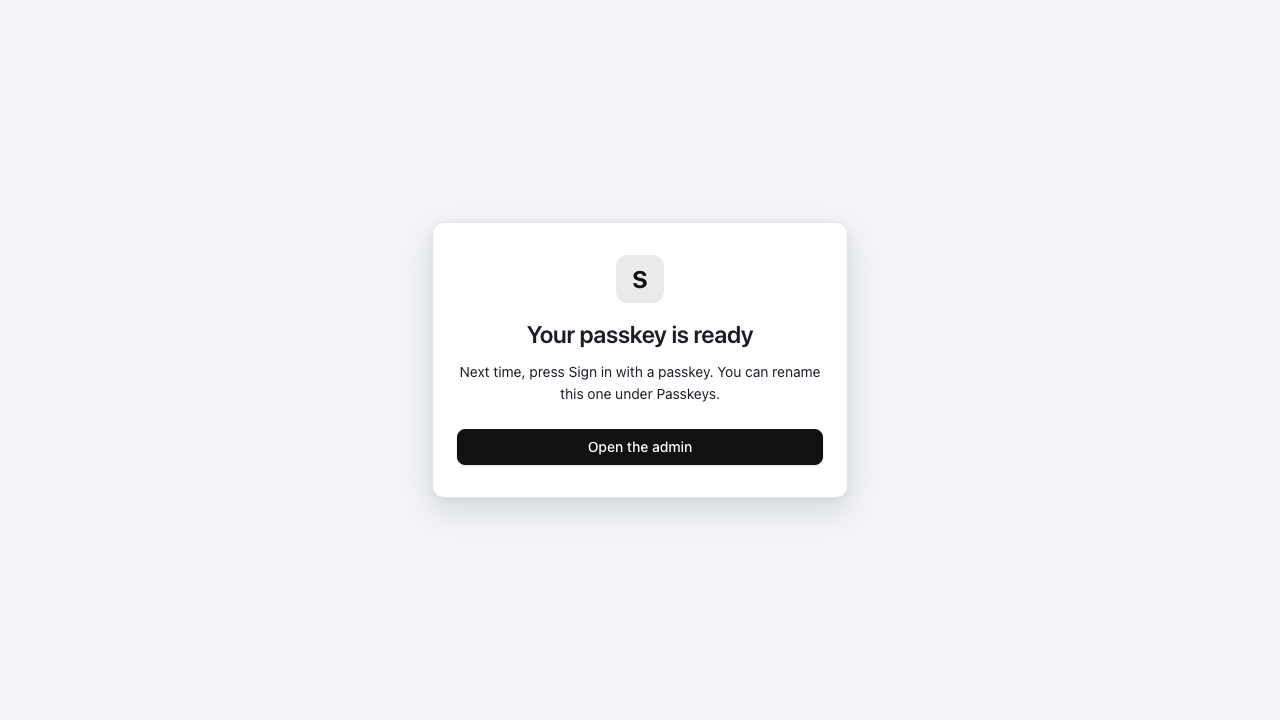
The screen after adding a passkey. Next time, one press signs you in.
What stops a post from going live? #
A few checks stop a post from going live, because publishing it would hurt your blog. The most common one is a post with no link to your other posts. Other checks only warn you, such as a missing description. Each check says what is wrong, why it matters and how to fix it.
A post blocked, then published #
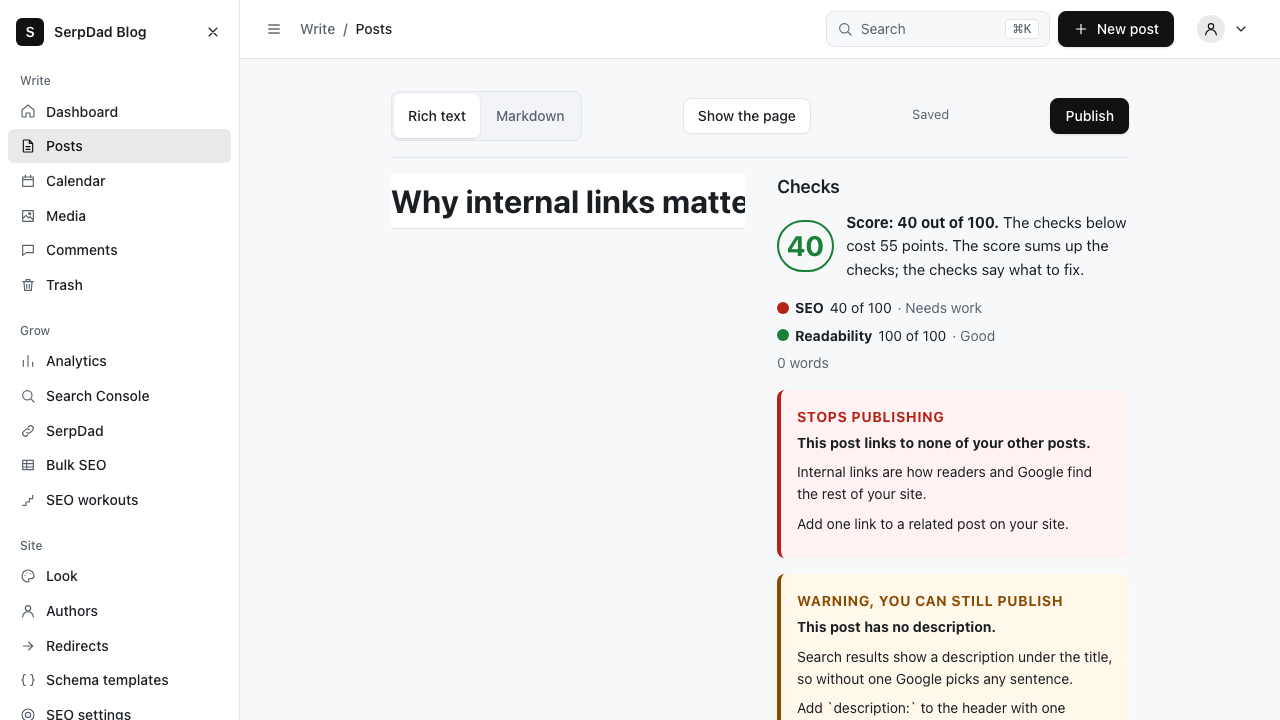
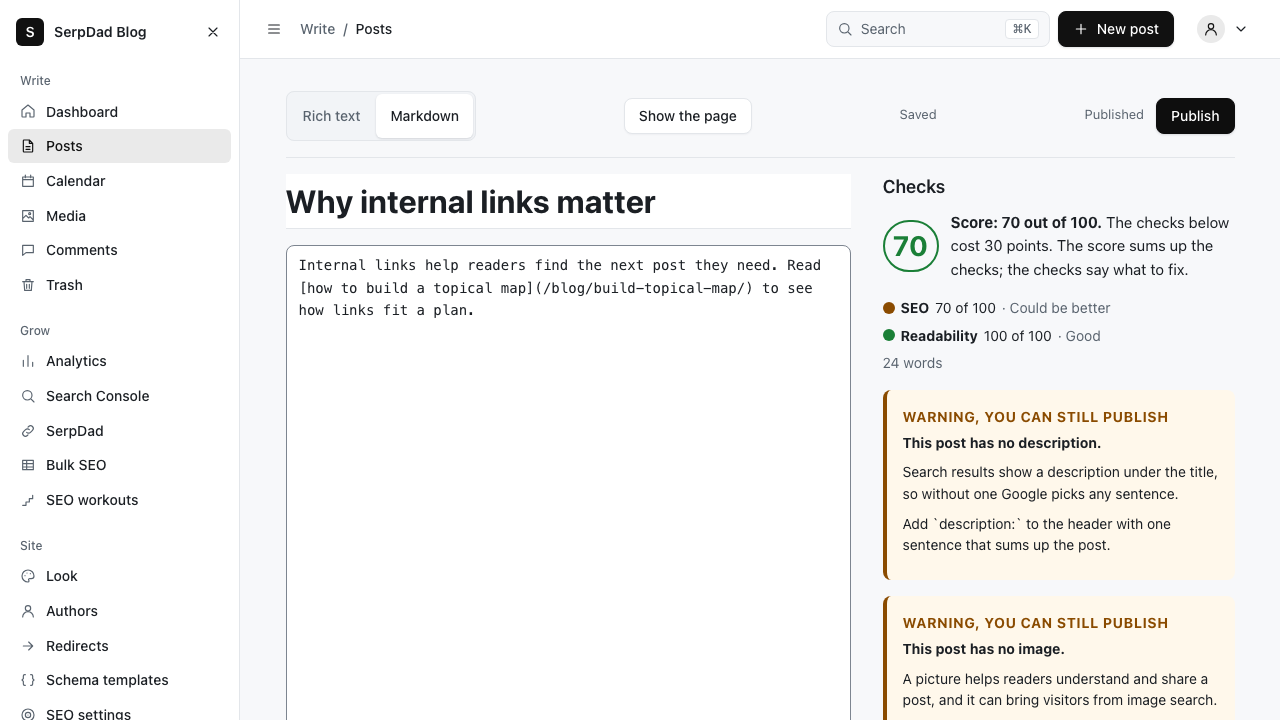
In the first picture, the score is forty out of a hundred and a red box says "Stops publishing". Then one sentence with an internal link to another post goes in. In the second picture the red box is gone, the score is seventy, and the post shows as published.
What does the Google preview show? #
The Google preview shows how the post will look in Google's results: the address, the title and the line under it. It updates as you type in the Khalid editor, using the same title and description the published page will carry. So you can fix a cut-off title or a missing description before anyone searches for the post.
The preview for our test post, in the editor in Khalid #
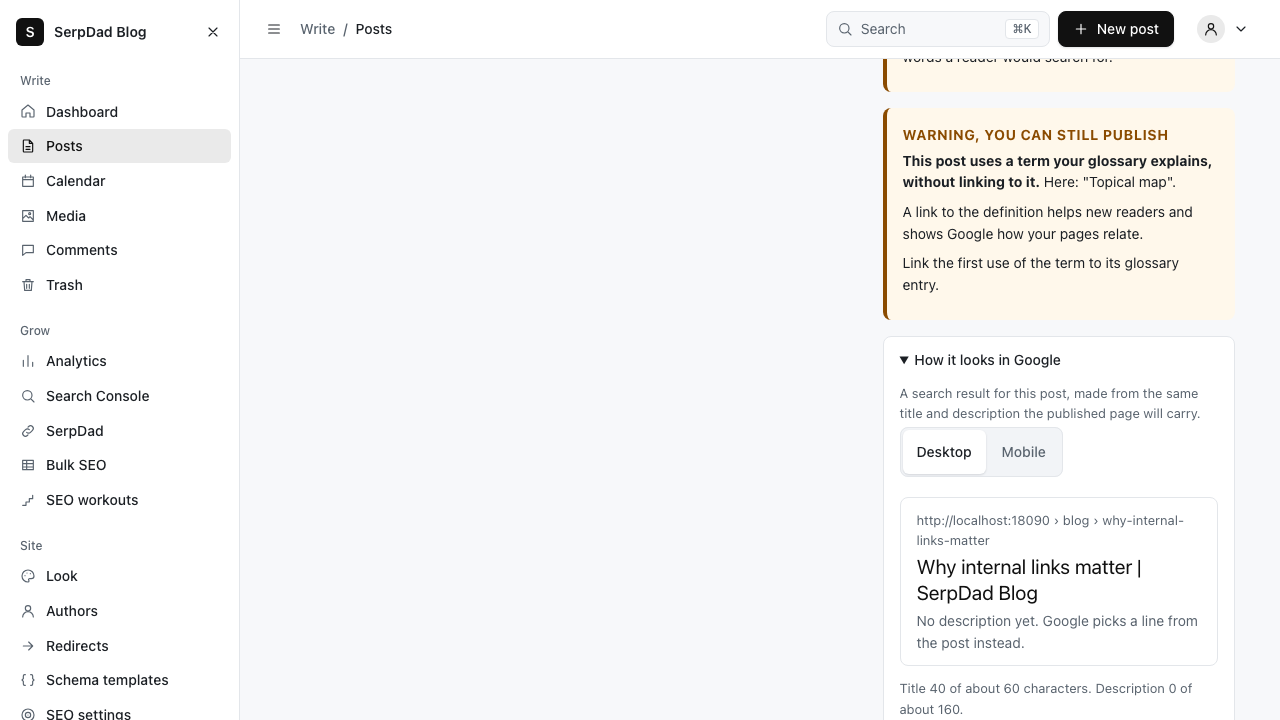
With no description set, the preview warns that Google will pick a line from the post on its own.
What happens after I publish? #
After you publish from the Khalid editor, the post goes on your blog at once and joins your feeds and sitemaps. It also builds a share picture for social networks and can tell Bing about the post straight away. You do not install plugins or press anything else for any of it.
Further reading #
To see every feature a reader meets here, read the tour of this blog's features. Khalid itself is free and open source on GitHub. To compare Khalid with the engine most blogs use, read our Khalid and WordPress comparison. The guide to topical maps explains why that internal link matters so much.


Comments
Thanks. Your comment shows here once it is approved.
No comments yet.
Leave a comment